There is a strange amount of machinery between two devices sitting on the same desk.
To move a screenshot from a laptop to a phone, or a PDF from one machine to another, we routinely involve accounts, syncing services, notification systems, public URLs, and someone else’s storage. The network is already in the room. Most of the time, the file does not need to leave it.
That is the idea behind DropLocal: start a tiny server, open the address on another device, and share files, screenshots, and notes over the local network.
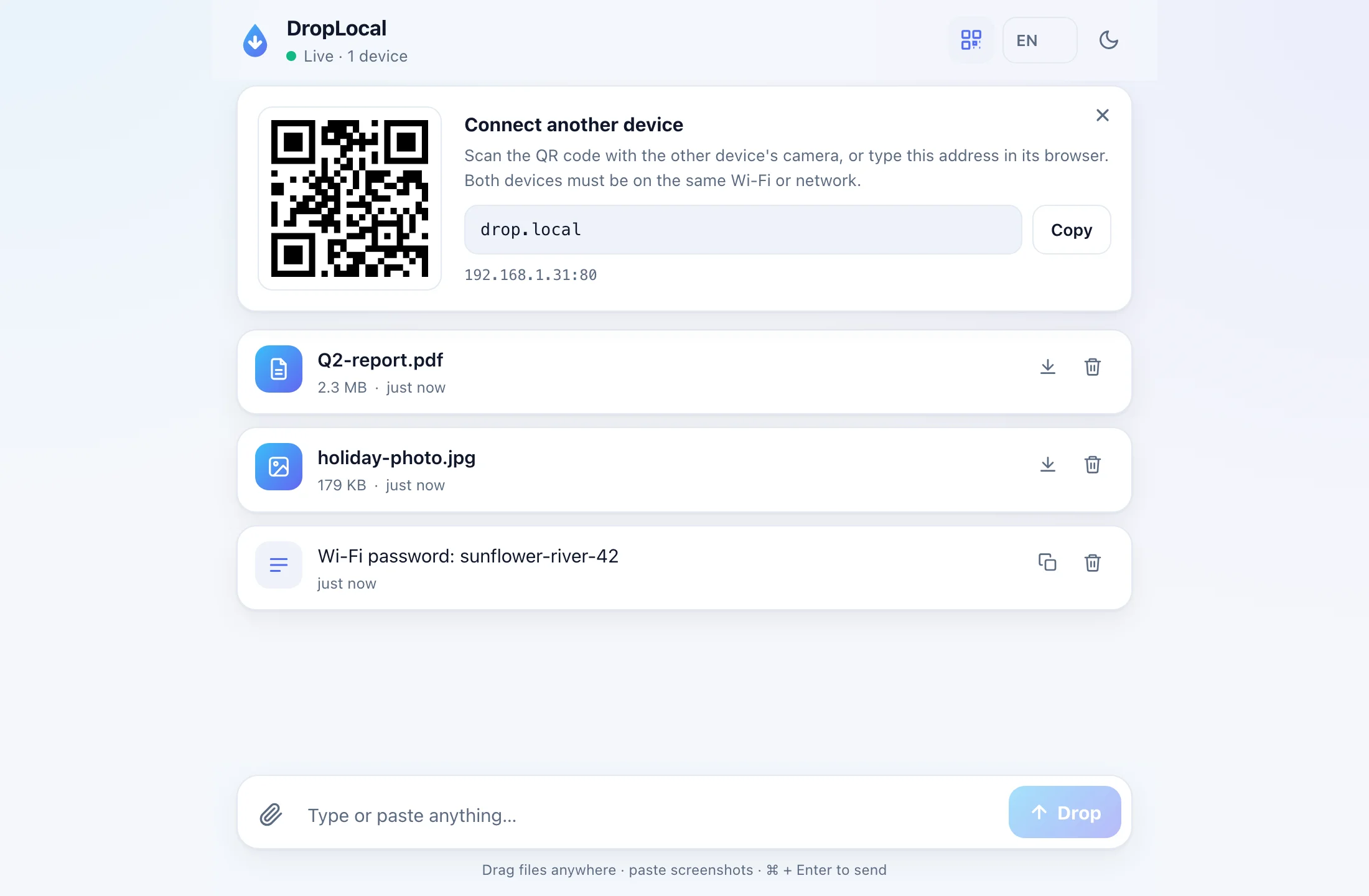
The shape of the tool
The command is deliberately small:
npx droplocal
That gives you a local web interface. Nearby devices join through a LAN URL or QR code. On networks where Bonjour works, drop.local gives it a human address; the QR code still uses the IP address so Android and less cooperative networks keep working.
The desktop app packages the same idea for macOS, Windows, and Linux. It adds tray controls and a native dashboard, but the core model is the same: one local stream, available to the devices you choose to bring into it.
What it does
DropLocal shares text snippets and files across devices on the same local network, with no accounts and no cloud.
The stream is intentionally plain. Notes and files appear together. Screenshots can be pasted straight from the clipboard. Files can be copied, downloaded, deleted, or selected as a group and downloaded as a zip. Markdown notes render as Markdown instead of becoming inert text.
The defaults are built for the common case, but the boundaries are explicit:
- Optional PIN gate with
--pin - Auto-expiry with
--expire - Ephemeral mode with
--ephemeral - Persistent storage by default, so the stream survives restarts
- Automatic port selection, trying port 80 first and falling back to 3000+
- Live updates through WebSocket events
The security model
DropLocal is not a public file hosting service. It assumes a trusted local network.
That choice keeps the tool understandable. There is no account system, no external storage, and no claim that a local LAN utility should be exposed directly to the public internet. If a transfer needs internet-grade access control, it should use a different kind of tool.
The useful boundary here is physical and social: devices near you, on a network you trust, sharing something quickly.
Why I made it
I like tools that reduce ceremony.
The best utilities do not ask for a workflow change. They remove the awkward part between intention and completion. DropLocal exists for the small moments where the right answer is not another cloud folder, chat message, or email to yourself. It is just a local drop.
The code is open source under MIT:
- App: droplocal.app
- Source: github.com/shiyuanhai/droplocal
- CLI:
npx droplocal